
Skip to content
  • Services
  • About
  • Pricing
  • Byte Back
  • Help Centre
  • Contact
Book an appointment
Remote support

Windows 10 support has ended: is your PC still safe in 2026?
24 March 2026 Adrian Arksey Comments Off on Windows 10 support has ended: is your PC still safe in 2026?
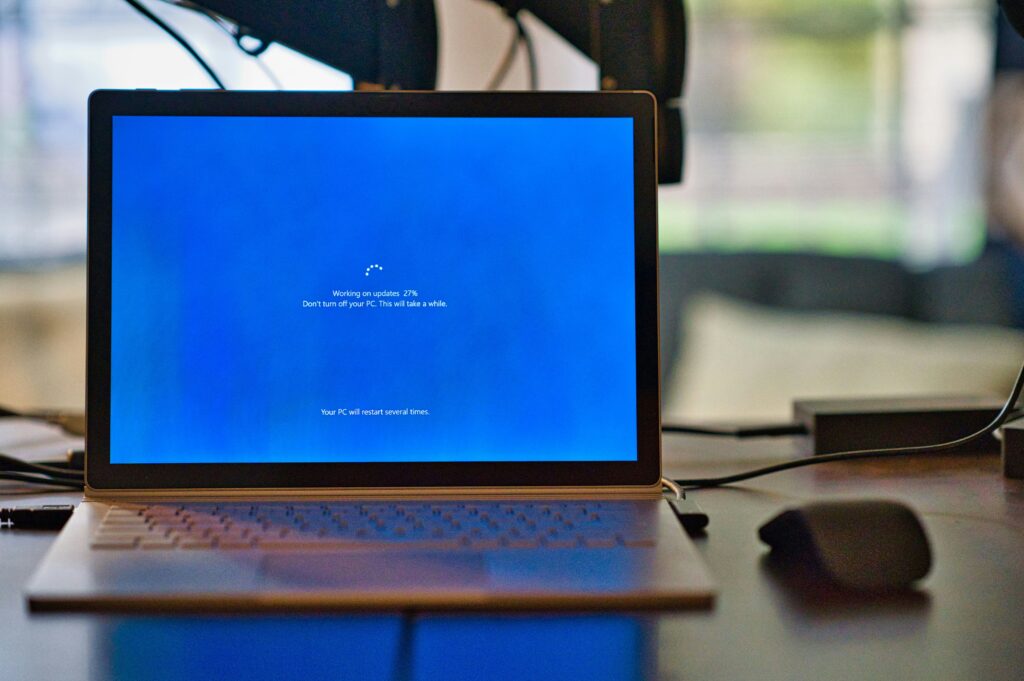
A picture of a laptop doing a Windows update

The official Windows 10 end of support date passed on 14th October 2025. Many of my local clients still use this system for banking, shopping, and staying in touch. However, we are now in 2026, and using an unsupported computer carries real risks.

Your computer will still turn on today. You can still open your files and browse the web. But the “shield” protecting your personal data has disappeared. Microsoft no longer sends the free security updates that block hackers and scammers.

The security risks of Windows 10 retirement

Security is the biggest concern following the Windows 10 end of support. Cybercriminals look for “holes” in old software to steal passwords or bank details. Because we are past the Windows 10 retirement deadline, Microsoft isn’t fixing these holes anymore.

A common myth is that antivirus software is enough. While a good antivirus helps, it cannot fix flaws in the actual Windows system. Think of it like putting a high-tech alarm on a house with a broken front door. It might beep, but the intruder is already inside. Since the Windows 10 End of Life occurred, your system lacks these vital structural repairs.

What about the paid Extended Security Updates?

You may have heard about Microsoft’s “Extended Security Update” (ESU) programme. This is a paid service for people who cannot manage a Windows 11 upgrade yet. It allows you to buy one extra year of PC security updates.

However, this is only a temporary fix. These paid updates for home users will officially come to an end in October 2026. This means that even if you pay the fee today, you will face the exact same problem again very soon. Most people find it is better to put that money towards a modern, supported computer instead of “renting” safety for a few more months.

Why a Windows 11 upgrade is the better choice

The best way to stay safe is to move to Windows 11. This system was built for the modern world. It has much stronger built-in protection against identity theft. Following the Windows 10 end of support, modern systems are the only way to guarantee safety.

The best way to stay safe is to move to Windows 11. This newer system has much stronger security. If your PC is less than five years old, you can likely upgrade for free. You can use the Microsoft PC Health Check tool to see if your computer is ready.
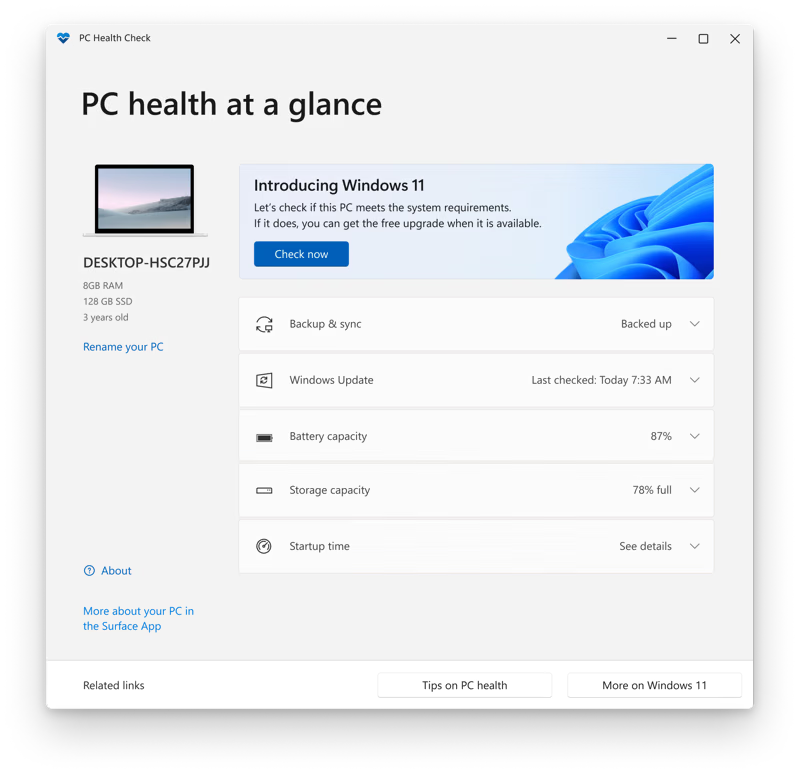
Windows 10 Microsoft PC Health Check app

How I can help

Changing your technology feels stressful. You might worry about losing your family photos or your saved passwords. I specialise in making this transition simple and worry-free for my local clients.

I can visit you at home to check your computer’s health. If you need a new machine, I can help you choose a reliable one that fits your budget. I will move all your files, set up your printer, and ensure your email works perfectly. I handle everything related to the Windows 10 end of support so you don’t have to.

The Windows 10 end of support period doesn’t have to be a headache. Give me a call today, and let’s make sure your computer is safe for the year ahead.

FAQs

Can I still use Windows 10 safely in 2026?

While your computer will still function, using it for sensitive tasks like online banking or shopping is not recommended. Since the Windows 10 end of support deadline passed, Microsoft has stopped releasing the free security patches that protect your data from hackers. This makes your personal information much more vulnerable to modern cyber-threats and scams compared to newer systems.

How much do the Extended Security Updates cost for home users?

Microsoft currently offers a "safety net" for home users at a cost of approximately £25 to £30 for one year of support. This fee allows you to keep receiving vital PC security updates for a short while longer. However, you should view this as a temporary measure, as these paid updates are scheduled to end entirely in October 2026.

Can I keep my old PC just for offline tasks?

Yes, this is a practical option if you do not need the internet. If you keep the computer completely disconnected from Wi-Fi and network cables, it remains safe from online intruders. It is perfectly fine to use an older machine for writing letters in a word processor, editing family photos, or managing a digital music library. Just remember that the security risks return the moment you reconnect it to the web.

Will my existing printer and accessories still work with Windows 11?

In the vast majority of cases, your modern printers, scanners, and webcams will work perfectly with Windows 11. Most manufacturers have released updated "drivers" to ensure their hardware remains compatible. If you have a very old piece of equipment, I can perform a quick check for you to confirm whether it will work before you decide to make the upgrade.

How can I tell if my computer is currently running Windows 10 or 11?

It is very easy to check your version. Simply click the "Start" button on your taskbar, select the "Settings" gear icon, and then click on "System." From there, scroll down to "About" and look under the "Windows specifications" section. It will clearly state whether you are running Windows 10 or the newer Windows 11.

Will Microsoft 365 (Word, Excel, PowerPoint etc) still work on Windows 10?

Yes, Microsoft has confirmed that Microsoft 365 subscriptions (formerly Office 365) will continue to receive security updates on Windows 10 until October 2028. This means that even though the Windows 10 operating system has reached its end of support, your Word, Excel, PowerPoint, and Outlook apps will remain safe to use for a further three years. It is important to note, however, that while the apps themselves are patched, they are still running on an insecure foundation if the main Windows system isn't being updated via the paid ESU programme.

Post navigation

Previous
Next

Recent posts

  • Check who has been signing into your email account
  • Closed a browser tab by accident? Reopen it instantly
  • Microsoft Publisher is closing down: what you need to do before October 2026
  • Restart or Shut Down? They aren’t always the same
  • A pop-up says your computer has a virus? Don’t call the number!

Related articles

HDD vs SSD: Which is the best choice for your computer?

1 April 2026 Adrian Arksey Comments Off on HDD vs SSD: Which is the best choice for your computer?

If you want to speed up a sluggish PC, you have likely heard the terms HDD and SSD. But what is the actual difference between these two types of storage, and why does it matter for your home computer? Understanding the HDD vs SSD debate is the primary step toward owning a faster, more reliable […]

Sign up to my newsletter

Useful tips, news and occasional offers, delivered to your inbox once or twice a month. I promise not to spam you!

Thank you!

You have successfully joined my subscriber list.

Stress-free tech support in the comfort of your home or office.

Serving Sheffield, Dronfield, Chesterfield, Hope Valley, Bakewell, and nearby towns and villages.

0333 900 6000

Business Hours
  • Weekdays: 9am to 5pm
  • Weekends: Closed
  • Bank Holidays: Closed
Help & Support
  • About
  • Pricing
  • Byte Back
  • FAQs
  • Software Support
  • Contact
  • Book an Appointment
  • Remote Support
Services
  • Computer Support
  • Phone & Tablet Support
  • Internet & Email Support
  • Data & Security Support
  • Smart Home Support
  • Learning & Advice
Copyright © 2004 – 2026 Restart. All rights reserved.